Kodak EasyShare LS753 zoom digital camera — User's guide
Table of Contents > Getting started > Turning the camera on and off
1 Getting started
Turning the camera on and off

|
|
|
|
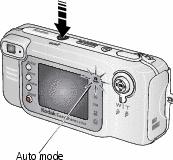
|
|
||
|
|||
 is selected.
| NOTE: | The lens retracts if it encounters an obstruction when you turn on the camera. Make sure the lens is unobstructed and press the On/Off button again. |
Changing the display
|
If you want to |
Then do this |
|
Change the Liveview camera screen setting so that it is off when you turn on the camera. |
|
|
Show/Hide the status icons. |
Press |
 .
. Previous Next