Kodak EasyShare CX6445 zoom digital camera — User's Guide
Table of Contents > Getting Started > Camera Screen Icons
1 Getting Started
Camera Screen Icons
These icons appear on your camera screen when the settings are active.
|
Capture Modes (also on Mode dial*) |
Camera/Picture Status |
||
|
Share Icons
|
Quality Icons
|
Protect
|
|
|
|
|||
|
|
|||
|
|
|
Storage/Picture location
|
|
|
|
|
||
|
|
|
Battery power
|
|
|
|
|
||
|
|
|
|
|
|
|
|
||
|
|
|||
|
|
|
|
|
|
|
|
|
|


 Video
Video  Auto
Auto  Sport
Sport  Self Timer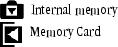
 Portrait
  Burst
Burst  Night
Night  Flash**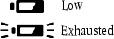
 Landscape
  Album name
  Close-up
  Long time exposure
  Pictures remaining
  Date stamp
  Digital zoom
  Custom (When
  is displayed in the status area, it means there are additional settings. Press the Flash button to display them.)
  Exposure Compensation
  White balance
  Exposure metering
  Color mode
  ISO speed
  Focus zone
  Album
Album *For Capture mode descriptions, see Picture-Taking Modes. **For flash icons, see Using the Flash.
Previous Next