Kodak EasyShare Z730 zoom digital camera — User's guide
Table of Contents > Taking pictures and videos > Using exposure bracketing
2 Taking pictures and videos
Using exposure bracketing
| Option | Description | Purpose | |
|---|---|---|---|
|
|
The camera takes 3 pictures—one at +, one at 0, and one at - exposure. |
Determine the best exposure level for your conditions based on your evaluation of 3 pictures. |
|
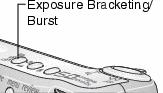
 Exposure Bracketing

|
|
|
|
||
|
1.
Set the exposure bracketing interval. (See .)
|
||||
|
2.
In any Still mode, press the Exposure Bracketing/ Burst button until
 appears in the status area. appears in the status area. |
|||||
|
3.
Press the Shutter button halfway and hold to set the auto-focus and exposure.
|
|||||
|
4.
Press the Shutter button the rest of the way down to take the pictures.
The camera takes 3 pictures. To evaluate them, press the Review button. Exposure bracketing turns off after the pictures are taken.
|
|||||
Using exposure compensation with exposure bracketing
In P, A, and S modes, you can use exposure compensation in conjunction with exposure bracketing.
| If exposure compensation is set to | And if the exposure bracketing interval is set to | Then the exposures taken are |
|---|---|---|
|
0.0 |
the default +/-0.3 |
-0.7, 0.0, +0.3 |
|
+1.0 |
+0.7, +1.0, +1.3 |
|
|
-1.0 |
-1.3, -1.0, -0.7 |
Previous Next