Kodak EasyShare V530 zoom digital camera — User's guide
Table of Contents > Taking pictures and videos > Deleting pictures and videos
2 Taking pictures and videos
Deleting pictures and videos
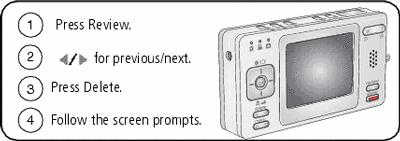
| NOTE: | To delete protected pictures and videos, remove protection before deleting. |
Protecting pictures and videos from deletion
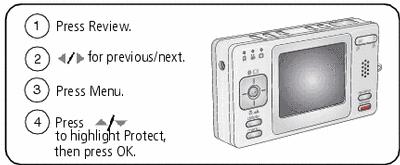
The picture or video is protected and cannot be deleted. The Protect icon
 appears with the protected picture or video.
Press the Menu button to exit the menu.

|
CAUTION: Formatting internal memory or an SD or MMC card deletes all (including protected) pictures and videos. (Formatting internal memory also deletes email addresses, album names, and favorites. To restore them, see EasyShare software Help.) |
Previous Next