Kodak EasyShare-One zoom digital camera — User's guide
Table of Contents > Viewing pictures and videos > Locating pictures and videos on your camera
3 Viewing pictures and videos
Locating pictures and videos on your camera

|
|
|
|
||||
|
|||||||
|
2.
Slide the Capture/View switch to View
 . . |
|||||||
|
3.
Press the Menu button, then select a view option:
|
|||||||

|
|||||||

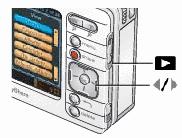
 to locate a thumbnail of the picture, video, or album you want to view (the active selection is highlighted with a yellow border).
  , to return to the previous view.
  , or touch the left- or right-hand portion of the image, to scroll backward or forward through pictures and videos, and also albums. (For fast scrolling, press and hold
  .)
.) Previous Next