Kodak EasyShare G610 printer dock — Getting started guide
Table of Contents > Product Overview
Overview
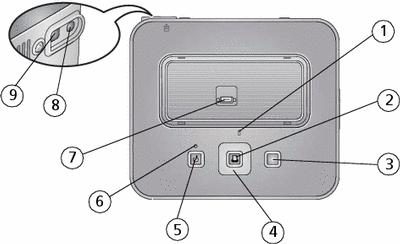
|
1 |
Camera battery status light |
6 |
Transfer status light |
|
2 |
OK/Print button |
7 |
Camera connector |
|
3 |
Cancel button |
8 |
Power connector (DC-in) |
|
4 |
|
9 |
USB connector (to computer) |
|
5 |
Transfer button |
|
|


 (4-way button)

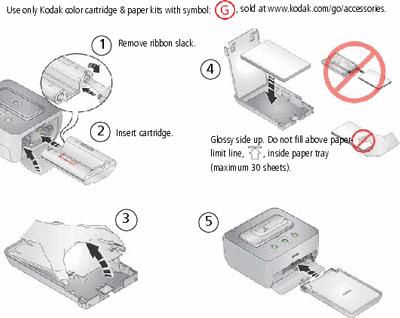
 Load cartridge and paper
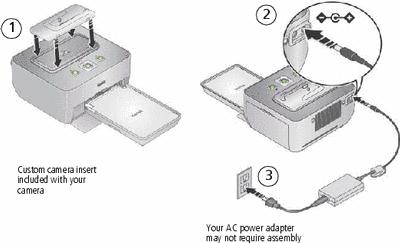
 Connect camera insert and power
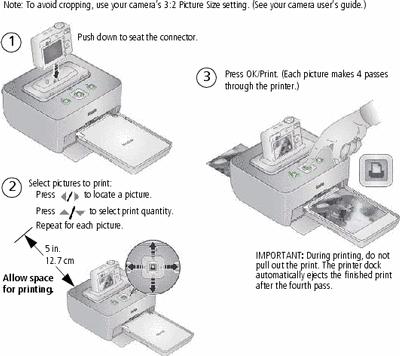
 Dock camera and print
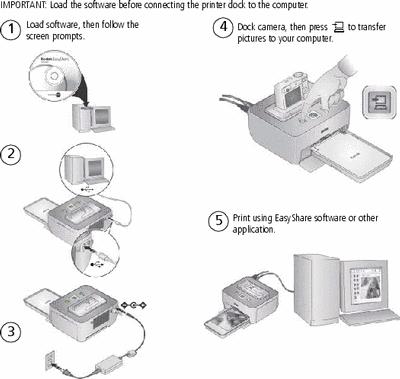
 Keep learning!
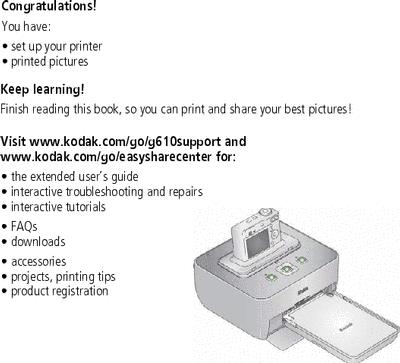
Select pictures on camera and print*
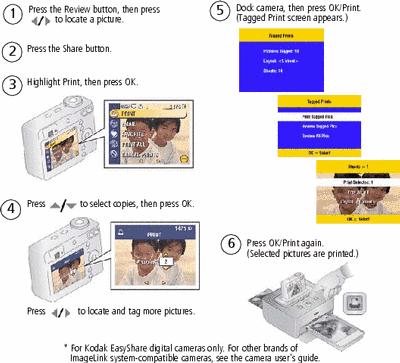
Crop pictures on camera before printing*
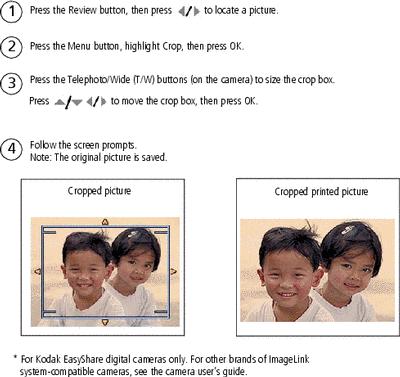
Transfer pictures, print from a computer
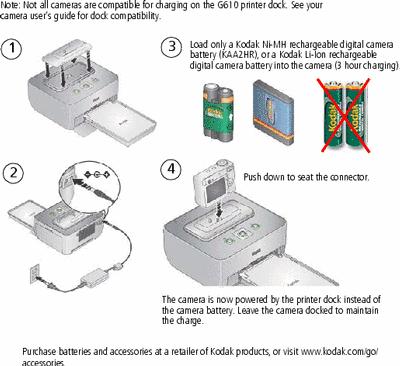
Charge the camera battery
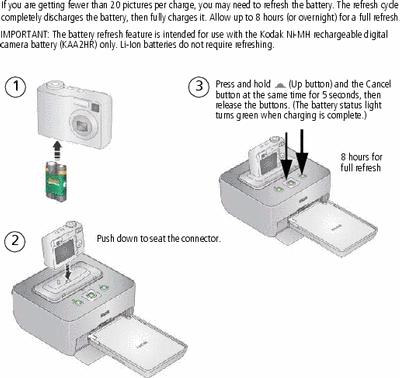
Refreshing the camera battery
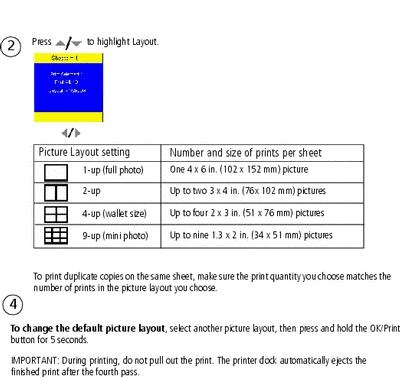
Change the printed picture layout
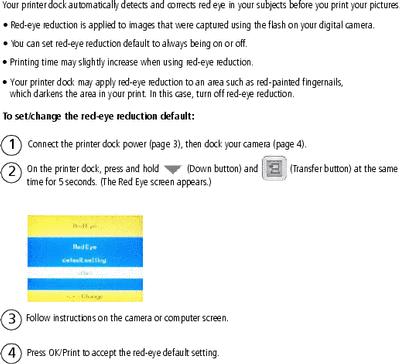
Reduce red eye in your prints
Previous Next