Kodak EasyShare V1253 zoom digital camera — User's guide
Table of Contents > Working with pictures/videos > Using the menu button in Review
2 Working with pictures/videos
Using the menu button in Review
-
Press the Review button, then the Menu button.
-
Press
 to highlight a tab:
 -
 Review to view pictures/videos
 -
 Edit to edit pictures/videos
 -
 Setup for other camera settings
-
-
Press
 to highlight a setting, then press the OK button.
 -
Highlight an option, then press the OK button.
Using Kodak Perfect Touch technology
Kodak Perfect Touch technology helps ensure better, brighter pictures.
-
Press the Review button.
-
Press
 for previous/next picture.
 -
Press the Menu button, then
The enhancement is previewed. Press to highlight the Edit
  tab. Highlight Perfect Touch tech, then press the OK button.
  to view other parts of the picture.
-
Press the OK button. Follow the screen prompts.
Kodak Perfect Touch technology can only be used with pictures, not video.
-
Press the Menu button to exit the menu.
Making a picture from a video
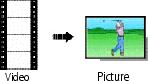
You can choose a single frame from a video, then make a picture suitable for a 4 x 6-inch (10 x 15 cm) print.

|
|
|
|
|
1.
Press the Review button, then
 to find a video. to find a video. |
||
|
2.
Press the Menu button, then
 to highlight the Edit to highlight the Edit  tab. Highlight Make Picture, then press OK. tab. Highlight Make Picture, then press OK. |
|||
|
3.
Follow the screen prompts.
A picture is created. (The original video is saved.)
|
|||
Making a video action print
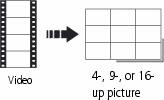
From a video, you can make a 4-, 9-, or 16-up picture, suitable for a 4 x 6-inch (10 x 15 cm) print.
|
|
|
|
|
|
1.
Press the Review button, then
 to find a video. to find a video. |
||
|
2.
Press the Menu button, then
 to highlight the Edit to highlight the Edit  tab. Highlight Action Print, then press the OK button. tab. Highlight Action Print, then press the OK button. |
|||
|
3.
Highlight an option, then press the OK button.
|
|||
A 4-, 9-, or 16-up picture is created. If you have less than 4 or 9 bookmarks, equally-spaced video frames are used.
-
Press the Menu button to exit the menu.
Previous Next