Kodak EasyShare Z1015 IS digital camera — Extended user guide
Table of Contents > Taking pictures/videos > Taking a picture
2 Taking pictures/videos
Taking a picture
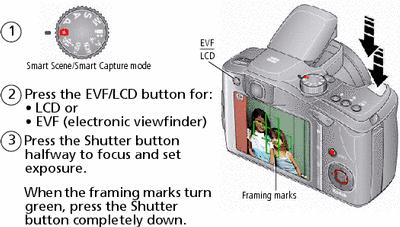
| NOTE: | After you take a picture, the EVF/LCD displays a quickview. |
Using the framing marks to take pictures
Framing marks indicate the camera focus area. The camera attempts to focus on foreground subjects, even if they're not centered in the scene.
-
Press the Shutter button halfway.
If the camera is not focusing on the desired subject, release the Shutter button and recompose the scene.
-
Press the Shutter button completely down to take the picture.
| NOTE: | Multiple framing marks may appear when faces are detected. (The primary face gets a yellow framing mark. To change focus from the selected face to another face, press  .) Framing marks do not appear in all modes. .) Framing marks do not appear in all modes. |
Taking a video
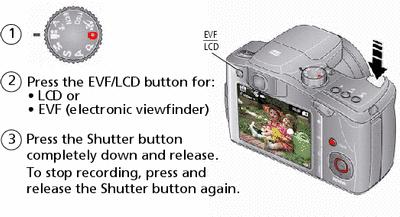
| NOTE: | After you take a video, the EVF/LCD displays a quickview. To play/pause the video during the quickview, press OK. |
Previous Next