KODAK EASYSHARE CD82 Digital Camera — User guide
Table of Contents > Doing more with your camera > Taking a video
1 Doing more with your camera
Taking a video

|
|
|
|
|
1.
Turn the Mode dial to Video
 . . |
||
|
2.
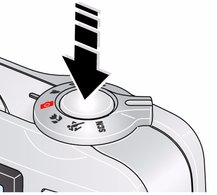
Press the Shutter button completely down, then release it. To stop recording, press and release the Shutter button again.
|
|||
| NOTE: | Sound cannot be played on the camera. Sound is heard after the video is transferred to your computer. |
Previous Next