KODAK SLICE Touchscreen Camera — Extended user guide
Table of Contents > Reviewing, tagging, editing > Selecting multiple pictures/videos
3 Reviewing, tagging, editing
Selecting multiple pictures/videos
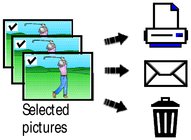
Use the multi-select feature when you have two or more pictures/videos to print or delete. (Multi-select can also be used when viewing thumbnails, Viewing pictures as thumbnails.)

|
|
|
|
|
1.
Press the Review
 button. Tap the left/right side of the screen (or swipe) to find a picture/video. button. Tap the left/right side of the screen (or swipe) to find a picture/video. |
||
|
2.
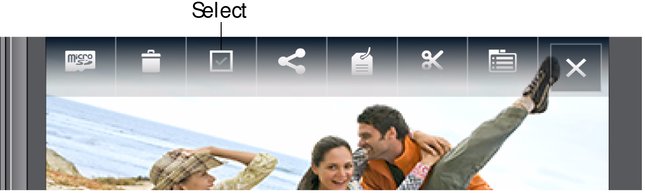
Tap the Select shortcut.
You can tap the shortcut a second time to remove a check mark. |
|||
Copying pictures/videos
You can copy pictures/videos from a card to internal memory or from internal memory to a card.
| NOTE: | Before you copy, make sure that a card is inserted in the camera. |
Copy pictures/videos:
-
Press the Review
 button, then tap the Menu
  icon.
icon. -
Tap Copy.
-
Tap an option.
| NOTE: | Pictures/videos are copied, not moved. To remove pictures/videos from the original location after copying, delete them (see Deleting pictures/videos). |
Previous Next