KODAK EASYSHARE Z981 Digital Camera — User guide
Table of Contents > Do more with your camera > Use the menu button to change settings
1 Do more with your camera
Use the menu button to change settings
You can change settings to get the best results from your camera. Some modes offer limited settings.
-
Press the Menu
 button.
 -
Press
 to choose a tab:
 -
Capture/Video for the most common picture- and video-taking settings
-
Setup for other camera settings
-
-
Press
 to choose a setting, then press OK.
 -
Choose an option, then press OK.
To access the camera Help system, see Use the camera Help system.
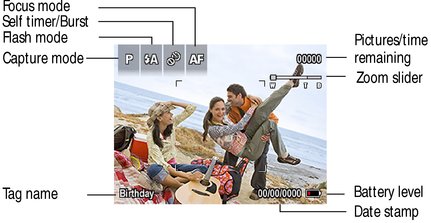
Understand the picture-taking icons
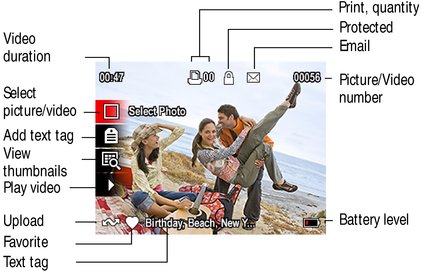
Understand the review icons
|
See the Extended user guide |
Previous Next