KODAK EASYSHARE Digital Frame — P750/P850
Table of Contents > Viewing pictures > Changing viewing modes
2 Viewing pictures
Changing viewing modes
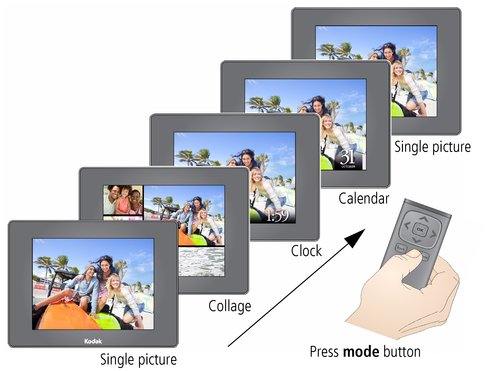 Press the mode button to change how you display pictures on your frame.
-
Each time you press the mode button, the frame advances to the next viewing mode.
-
Available viewing modes are: single picture, Collage, Clock, and Calendar.
-
There are several styles of Clock, Calendar, and Collage modes available. To change the style, highlight the Set Modes icon
 from the main control panel. See Setting viewing modes.
Previous Next