KODAK EASYSHARE P76 Digital Frame — Extended user guide
Table of Contents > Viewing pictures > Deleting pictures from your frame
2 Viewing pictures
Deleting pictures from your frame
You can delete pictures from your frame's internal memory but not from an inserted memory card or USB device.

|
|
|
|
|
1.
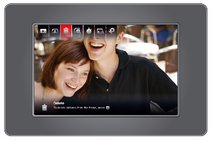
Make sure no memory card or USB device is inserted in the frame. When a slide show is playing from internal memory, press OK.
The main control panel appears. |
||
|
2.
Press
 to highlight to highlight  (Delete), then press OK. (Delete), then press OK. |
|||
|
3.
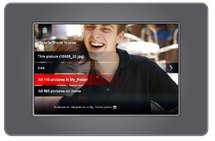
Highlight your delete method:
This picture—delete the displayed picture. Exit (default)—exit the delete screen without deleting the picture. All pictures in folder —delete all the pictures in a folder (folder represents the folder name, if there are any folders on the frame). All pictures on frame—delete all of the pictures on the frame. |
||
|
4.
Press OK.
|
|||
Previous Next