KODAK EASYSHARE Camera / C15 — Extended user guide
Table of Contents > Reviewing and editing > Reviewing pictures/videos
4 Reviewing and editing
Reviewing pictures/videos

|
|
|
|
|
1.
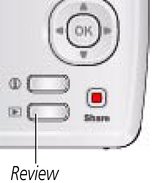
Press the Review
 button. button. |
||
|
2.
Press
 for previous/next picture/video. for previous/next picture/video.
|
|||
Playing a video
|
|
|
|
|
|
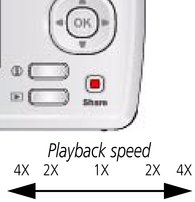
Press OK to play a video. Press OK to pause/resume. During playback: |
||
|
|
|
|
|
|
|||
|
|||
 to play at 2X speed; press again for 4X.
  to reverse at 2X speed; press again for 4X.
 | NOTE: | Audio is captured during video recording. Audio can be heard when the video os played on a computer or when the camera is connected to a TV (Displaying pictures/videos on a television). |
Previous Next