KODAK EASYSHARE Camera / Z5120 — User guide
Table of Contents > Setting up your camera > Setting the language, date/time
1 Setting up your camera
Setting the language, date/time
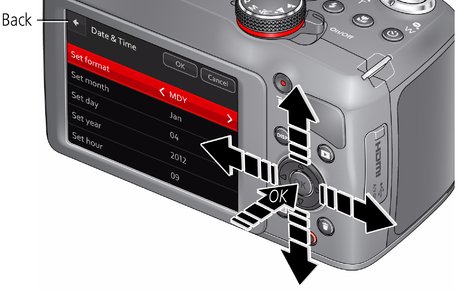
The first time you turn on the camera, you're prompted to choose your language and set the date/time.
Choose your language:
-
Press
 to highlight your language.
 -
Press the OK button.
Set the date and time:
-
Press
 to change the date format, if desired.
 -
Press
 to highlight the year, month, date, hours, or minutes.
 NOTE: You may need to scroll down to see all fields.
-
Press
 to change the value.
 -
When finished setting the date and time, press
 to highlight OK. Then press the camera OK button.
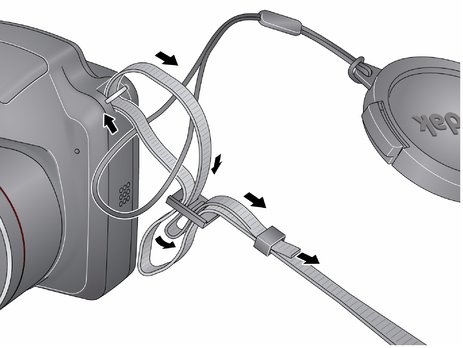
Attaching the strap
Purchasing accessories
|
KODAK Ni-MH Rechargeable AA Batteries, chargers |
|
|
SD/SDHC Card (Class 4 or higher) |
|
|
KODAK Camera USB Cable Micro B / 5-Pin |
Previous Next