Kodak EasyShare M820/M1020 digital frame — User guide
> Getting started > Setting up your picture frame
1 Getting started
Setting up your picture frame
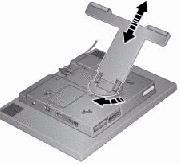
Changing the frame orientation
Your frame is set up to display pictures in landscape orientation  . You can turn the stand to change it to portrait
  but you must also change the setting (see Changing the frame orientation setting).

|
|
|
|
|
Change the stand position: | ||
|
1.
|
|||
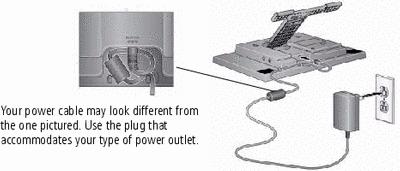
Attaching the power cable

|
caution: Do not use this power cable with other devices, including digital cameras. |
Previous Next