KODAK PLAYSPORT Video Camera, Model Zx3 — User guide
Table of Contents > Doing more > Using the camera under water
1 Doing more
Using the camera under water

|
CAUTION: The camera does not float. To prevent it from sinking, secure it with the strap. To keep the camera waterproof, tightly close all doors. Do not open doors in water or when hands are wet. Waterproof integrity may be compromised if the camera is dropped. |
-
Press the Settings button, then choose Underwater Mode
 .
. -
Press
 to choose the checkmark, then press OK.
 -
Press the Liveview
 button, then take videos/pictures as you normally do.
 -
When finished taking underwater videos/pictures, turn Underwater Mode off.
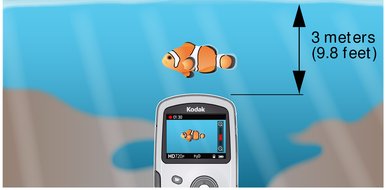
After using the camera in water
-
Wipe off water or debris. If the camera was used in chemically treated water or saltwater, rinse it in fresh water, then use a soft towel to dry it.
-
If water has entered the camera, remove the battery/card. Allow camera to air-dry for at least 24 hours before using.
Previous Next