KODAK PLAYFULL Waterproof Video Camera / Ze2 — Extended user guide
Table of Contents > Advanced features > Viewing videos/pictures on a TV
3 Advanced features
Viewing videos/pictures on a TV
If you have an HD television, use an HDMI cable—and get the richest playback experience. (Cables sold separately.)
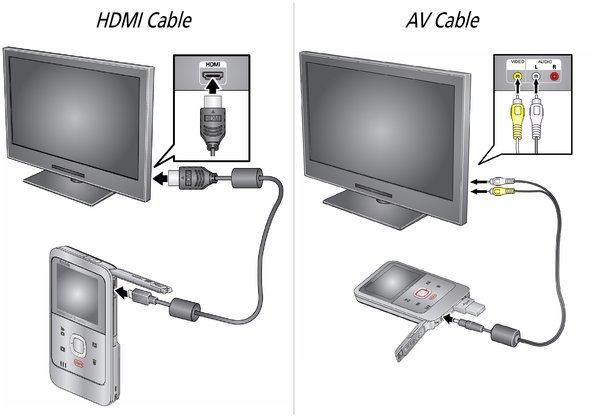
| NOTE: | Set your TV input setting to HDMI or AV. |
|
Set Video Output (NTSC/PAL) |
|
|
Power the camera by AC power (AC adapter sold separately) |
|
|
Purchase accessories |
Previous Next