KODAK PLAYFULL Waterproof Video Camera / Ze2 — Extended user guide
Table of Contents > Advanced features > Using the settings menu
3 Advanced features
Using the settings menu
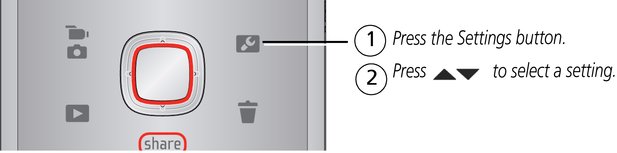
|
LCD Brightness & Glare Shield |
Turn on when viewing the LCD in bright conditions. (See Recording videos, taking pictures.) |
|
Underwater Mode |
Use when taking videos/pictures under water. |
|
Effects |
Normal Color, Sepia, B&W, High Saturation, or 70s Film |
|
Video Resolution |
HD 720P, WVGA |
|
Microphone Gain |
Adjust sensitivity of the internal microphone. |
|
Sounds |
Turn on/off sounds. |
|
Date/Time |
Set the date/time |
|
Share Settings |
Choose which sites and email addresses are offered when you share. |
|
Video Output |
Choose the setting (NTSC, PAL) for your region. |
|
Language |
Choose your language. |
|
Reset Settings |
Return all settings to their factory default. |
|
Format Card |
Erase, format the card. |
|
About |
View firmware and ARCSOFT Software versions |
Using the Settings menu in Review
|
If you're reviewing |
and you press the Settings button |
you also get these choices |
|||
|
a video |
|
||||
|
a picture |
|

Previous Next